Installing, servicing, and removing an ignition interlock device with us is very easy and convenient. But you’ll still have some questions. You may ask: How do I know what the device codes mean? Where can I find ignition interlock user instructions? The simple answer: We’ll make sure you know how to use your interlock device before you leave the installation appointment. This post will further explain this topic.
Ignition interlock user instructions
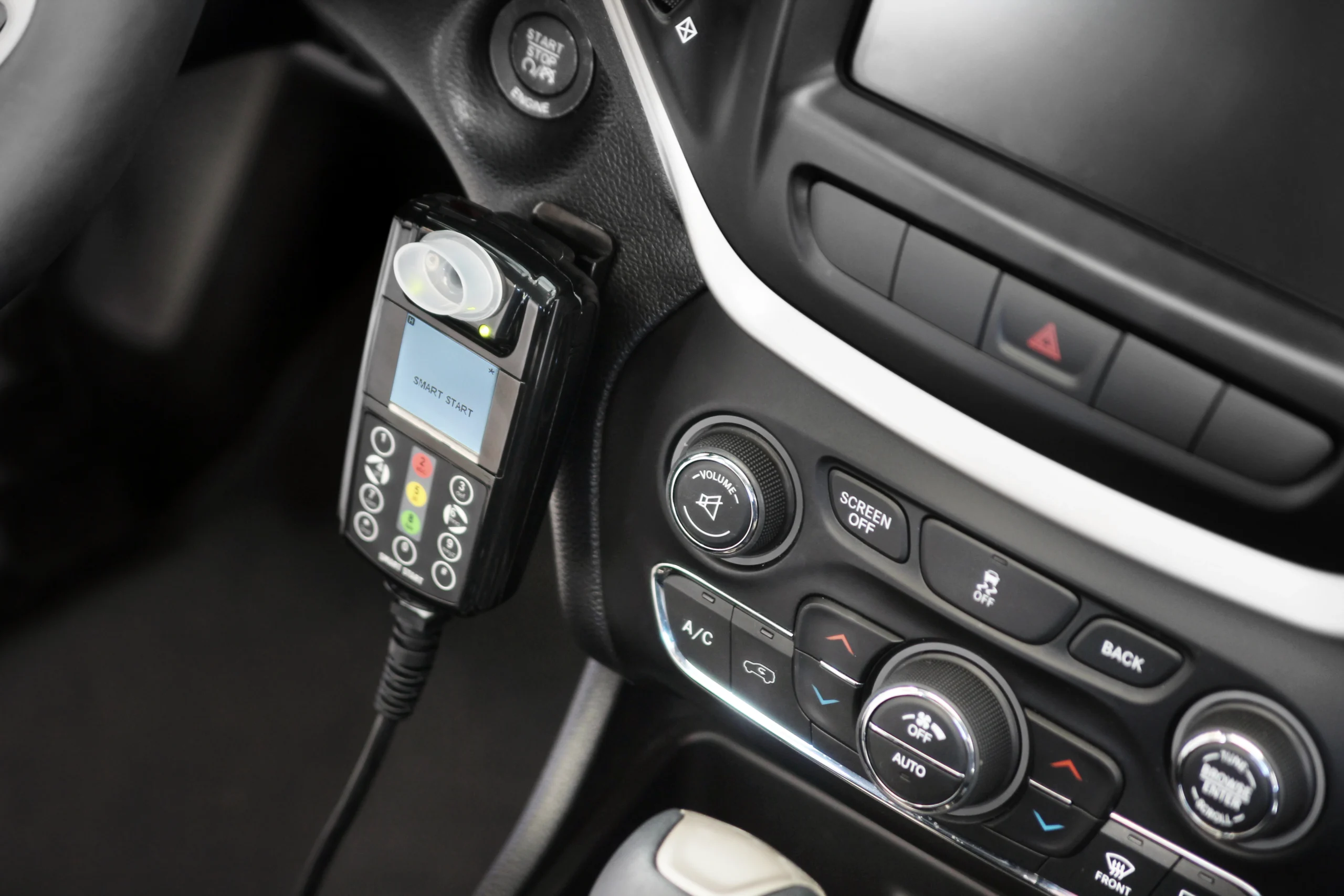
Ignition interlock devices require the user to take and pass a breath test before the vehicle will start. If the breath alcohol sample submitted is at or above the preset fail level, the vehicle will not start.
Not all devices are exactly the same. But no matter the set up or model, your Smart Start of Louisiana interlock device is designed to be simple to use and easy to take care of. It’s still difficult to know everything about your device, though, which is why having the best customer support is so important. Our team will make sure you understand how to use your device based on your specific program’s interlock rules and regulations.
Knowing how to take a breath test is very important for any program.
Taking an interlock test
- When you turn on the vehicle’s ignition, the unit will activate and the LCD will display WAIT ####. The device is preparing for a test. Take this time to drink WATER to eliminate breath contaminants.
- Once the unit has initialized, the LCD will display the word BLOW. You can only take a test when the LCD displays the word BLOW.
- The best way to take a proper test is to blow steadily into the mouthpiece of the unit for approximately 2 seconds and then transition to a hum by saying the word “WHO”. Keep blowing steadily during the transition. During the test the LCD will display the word TEST.
- Keep blowing into the mouthpiece while humming “WHO” until the unit clicks and the sound of the beep changes to a higher tone to let you know when to stop (approximately 7 seconds).
- If you do not successfully complete the test, the LCD will display the word ABORT, followed by the reason.
- After successful completion of the test, the LCD will display the word ANALYZING.
- The unit will then analyze the breath sample and display PASS, WARN, FAIL, or VIOL.
- During normal operation of the unit, the LCD will display “*”, indicating engine running.
After you take a test, 1 of 5 things will happen
- The LCD display will show the word PASS and you may now start your vehicle.
- The LCD display will show the word WARN and you may now start your vehicle.
- The LCD display will show the word FAIL and you will not be able to start your vehicle.
- The LCD display will show the word VIOLATION and you will not be able to start your vehicle.
- The LCD display will show the word ABORT and you will not be able to start your vehicle.
What if I don’t pass?
When you blow an ABORT or a FAIL, you must take and pass another breath test before your vehicle will start. After blowing a FAIL, the LCD will display FAIL then cycle back to WAIT ## and then BLOW. ABORT is generally caused by blowing too hard, blowing not a long enough period of time, or not performing the voice tone properly. An ABORT will simply require you to take another test.
Handset mount
You have been provided with a handset mount to keep your device within easy reach and out of harm’s way. If your mount needs replacing, advise our service personnel and we will secure a new one.
Random retests
Once your vehicle is started, the device will ask for a random retest by beeping and indicating BLOW plus a timer reading. Failure to take these retests is a violation. The retest timer gives you 6 minutes to safely pull over and take the test if you are not comfortable testing while driving. When using the device, always practice safe driving habits and keep your eyes on the road.
If you fail to take the retest, the unit will indicate MISSED TEST. This will result in a lost violation Once your vehicle is started, the device will ask for RETESTS by beeping and flashing the word BLOW. Be sure to drink water prior to each and every test. Failure to take the retest is a violation.
Let us know if you need help
Our ignition interlock user instructions are very easy to follow. If you need help using your ignition interlock device or if you’re ready to install a new device, call us at (866) 447-8686. We’re the best installer of interlocks. It’s easy to find a service center near you.
Contact us about ignition interlock user instructions
Questions like “What do the interlock device codes mean?” or “Where can I find ignition interlock user instructions?” are easy to answer since you’ll speak to a real person when you call. Don’t try to navigate this stuff alone. We’re always just a call or click away.
Smart Start of Louisiana is the smart choice for ignition interlock because we offer top-notch customer service and a convenient process. Smart Start offers a toll-free 24/7 service line where you can always speak to a real person. We’re here to help you with any questions you have about what you need to bring to your interlock device removal appointment or other topics.
Looking for other products?
We’re the interlock pros. If you are looking for other compliance products and services, we suggest you check out our partner company.
Gulf Compliance Solutions